GraphQL allows us to query data from WordPress, without resorting to writing too much PHP code.
In short, GraphQL allows for the creation of a 'schema', which is a definition of the data available on the server, and 'queries' which actually query that schema. We use the WPGraphQL WordPress plugin, installed via composer, to provide an automatically generated schema — so all we need to worry about is writing 'queries'.
Our eddev-php library provides additional schema generation, mainly for Gutenberg blocks.
The WPGraphQL docs are a great place to learn about GraphQL and how WPGraphQL works:
GraphiQL IDE#
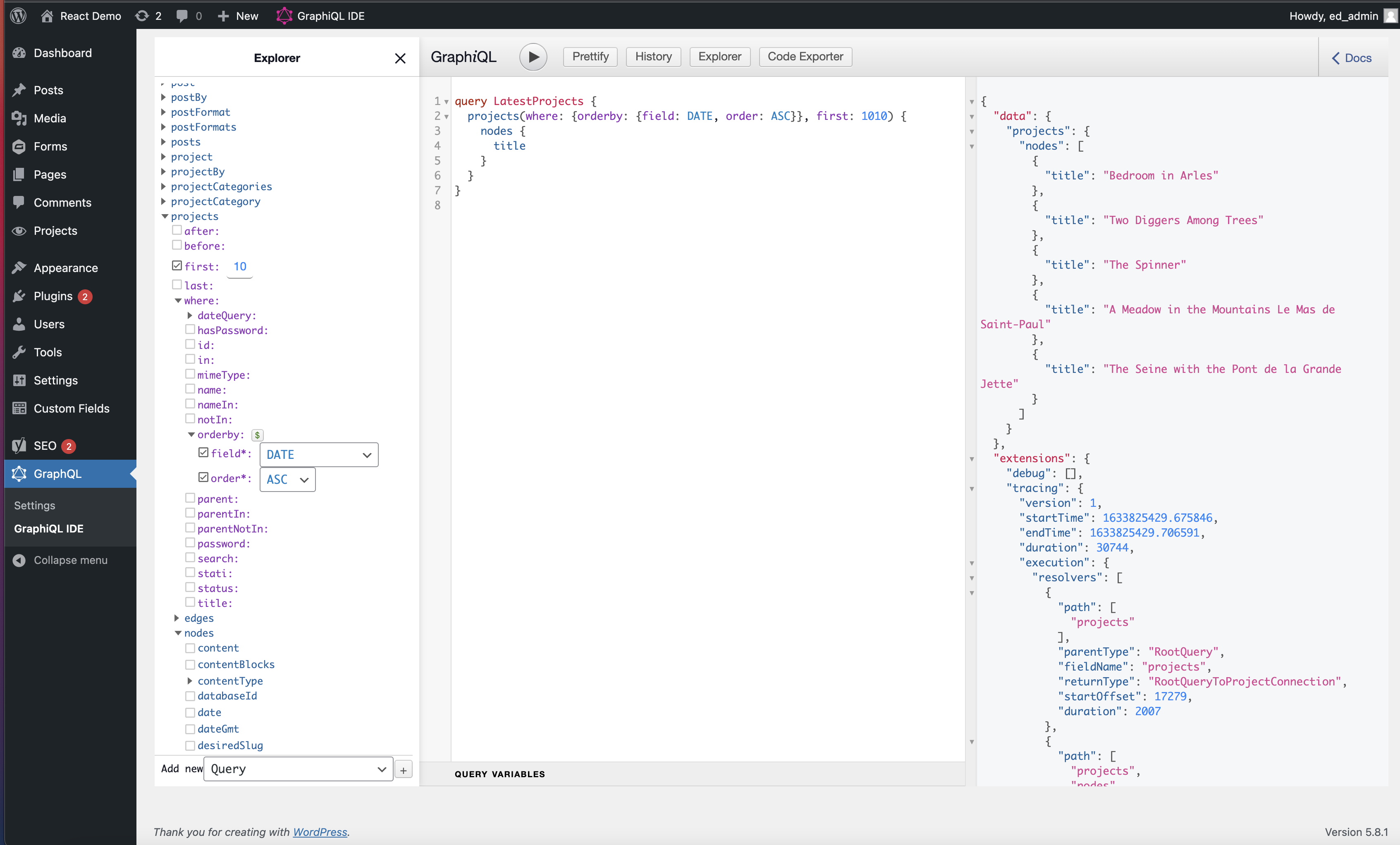
The GraphiQL IDE built into WPGraphQL provides a window into the schema.
The IDE also allows you to construct and execute queries, by selecting fields on the left. You can copy/paste between the IDE and your .graphql files.
GraphQL Files#
There are a few locations where .graphql query files can be placed within your project's codebase.
Global Data#
You can use /views/_app.graphql to declare global data used by your application, and access it from any view/block/component using the useAppData hook.
Views#
'Views' work just like regular WordPress templates. Instead of single.php, you can create a views/single.tsx file. Alongside your .tsx file, you can create a .graphql file with the same name as the .tsx file. These queries are automatically executed when the relevant page is accessed.
Blocks#
Just like views, blocks can have a paired .graphql file, which is executed automatically for each block.
Query Hooks#
Sometimes you need to be able to run queries dynamically in the browser, rather than as part of a 'view' or 'block'. This is particularly useful for things like searching and filtering.
You can place .graphql files in queries/*.graphql, and hooks will be automatically generated for you to use within your app.
Fragments#
Fragments must be stored within /queries/fragments/*.graphql
GraphQL Fragments allow us to write query fragments, which can be reused in multiple files.
TypeScript Generation#
TBA